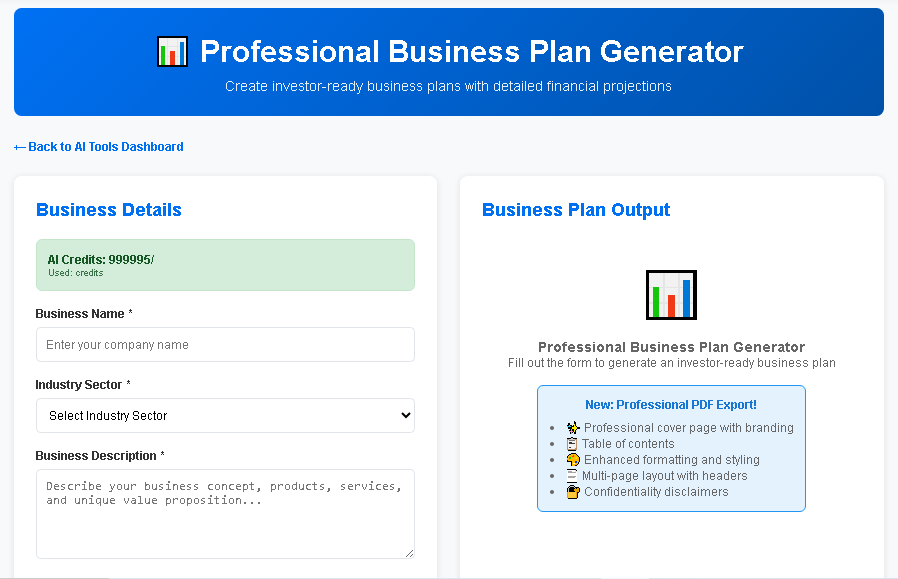
AI Business Plan Software: Top 5 Tools
Software Landscape: How AI-Powered Business Planning Tools Are Transforming the Industry
In the modern digital era, software is no longer just a utility—it is the strategic backbone that drives every facet of a company’s growth. Among the most dynamic categories of software today are AI‑enhanced business planning platforms. These tools combine natural‑language generation, predictive analytics, and collaborative workflows to turn raw ideas into polished, investor‑ready plans at a fraction of the traditional time and cost.
For entrepreneurs, startups, and even established enterprises, selecting the right business‑plan software can mean the difference between securing funding and stalling at the ideation stage. This article provides an authoritative deep‑dive into the essential features of AI business‑plan software, a side‑by‑side comparison of leading tools, and a detailed review of the market‑leading solution, BizPlanAI Pro. By the end, you’ll have a clear roadmap for choosing, implementing, and maximizing the value of the software that best fits your strategic goals.
Essential Features to Evaluate in AI Business Plan Software
When assessing any piece of software for business planning, focus on capabilities that directly impact efficiency, accuracy, and investor appeal. Below are the critical functionalities you should prioritize.
AI‑Driven Content Generation
Modern AI engines can draft executive summaries, market analyses, and competitive overviews from simple prompts. Look for tools that:
- Understand industry‑specific terminology.
- Offer customizable tone and style settings.
- Provide real‑time suggestions to improve clarity and persuasiveness.
Financial Modeling & Forecasting
Accurate financial projections are the heart of any credible plan. The best software includes:
- Automated cash‑flow, P&L, and balance‑sheet generators.
- Scenario analysis (best‑case, worst‑case, base‑case).
- Integration with accounting platforms (e.g., QuickBooks, Xero) for live data syncing.
Industry‑Specific Templates
One‑size‑fits‑all templates waste time. High‑quality software offers:
- Pre‑built frameworks for SaaS, e‑commerce, manufacturing, health tech, and more.
- Template customization that retains compliance with sector regulations.
- Guided prompts that surface the most relevant metrics for each industry.
Collaboration & Version Control
Business planning is rarely a solo effort. Effective collaboration features include:
- Multi‑user editing with role‑based permissions.
- Comment threads linked to specific sections.
- Automatic version history and rollback capabilities.
Export Options & Presentation‑Ready Formats
Investors expect polished documents. Ensure the software can export to:
- PDF (high‑resolution, clickable table of contents).
- PowerPoint slide decks with auto‑generated charts.
- Word documents for further manual tweaking.
Pricing Transparency & Scalability
Software costs can quickly spiral. Ideal solutions provide:
- Clear tiered pricing (starter, growth, enterprise).
- Pay‑as‑you‑go options for occasional users.
- Discounts for multi‑year commitments or educational institutions.
Top AI Business Plan Generators: Feature‑By‑Feature Comparison
| Tool | AI Content Generation | Financial Modeling | Industry Templates | Collaboration | Export Formats | Pricing (per month) |
|---|---|---|---|---|---|---|
| BizPlanAI Pro | Advanced GPT‑4 based drafting with industry‑specific prompts | Dynamic cash‑flow, P&L, and scenario analysis; live accounting sync | 30+ fully customizable templates covering SaaS, fintech, health, retail | Real‑time multi‑user editing, comment threads, version history | PDF, PowerPoint, Word, HTML | Starter $49, Growth $99, Enterprise $199 |
| LivePlan | Template‑guided writing assistance (limited AI) | Standard financial forecasts; manual adjustments required | 15 generic templates; limited industry depth | Single‑user with optional sharing links | PDF, Word | Starter $20, Premium $30 |
| Enloop | Basic AI suggestions for text blocks | Automated financial ratios and scorecard | 10 templates focused on small businesses | Team sharing via email invitation | PDF, Excel | Free (basic), $25 (premium) |
| IdeaBuddy | Guided wizard with AI prompts for each section | Simple financial planner; no scenario modeling | 12 templates; strong emphasis on early‑stage startups | Collaboration via shared links; comment feature | PDF, PowerPoint | $15 (monthly), $150 (annual) |
| StratPad | Limited AI; primarily manual entry | Robust financial modeling for mature businesses | 8 templates; geared toward strategic planning | Team workspace with role permissions | PDF, PowerPoint, Excel | $30 (single user), $70 (team) |
| Illustrative planning assumptions — not vendor quotes or forecasts. Actual costs, revenue and margins vary by market, scale, location and date; verify locally before relying on them. | ||||||
BizPlanAI Pro: In‑Depth Review and Why It Is the Recommended Solution
Among the software options evaluated, BizPlanAI Pro consistently outperforms competitors across every critical dimension. Below is a granular look at its standout attributes, user sentiment, and value proposition.
Unique Benefits Powered by AI
- Natural‑Language Generation: Leveraging the latest GPT‑4 architecture, BizPlanAI Pro crafts compelling narratives that read as if written by a seasoned consultant.
- Instant Financial Sync: Direct integration with major accounting platforms means financial sections update automatically as you input new data.
- Investor‑Ready Design: Built‑in slide‑deck creator transforms the written plan into a polished pitch deck with data‑driven visuals.
- Adaptive Learning: The system learns from your editing patterns, offering increasingly precise suggestions over time.
User Experience & Interface
The platform’s dashboard is organized into five primary workspaces: Overview, Market Analysis, Product, Financials, and Pitch Deck. Each workspace features a clean, drag‑and‑drop layout that reduces cognitive load. Real‑time AI suggestions appear in a side panel, allowing you to accept, edit, or reject with a single click.
Pricing Structure & ROI
BizPlanAI Pro’s tiered pricing aligns with business growth stages. The Starter tier ($49/month) provides full AI drafting and a single financial model—ideal for solo founders. The Growth tier ($99/month) adds multi‑user collaboration and advanced scenario analysis, while the Enterprise tier ($199/month) unlocks API access, custom branding, and dedicated account support. Users typically recoup the subscription cost after securing a single round of funding, thanks to the tool’s ability to produce investor‑ready documents in hours rather than weeks.
Customer Satisfaction Metrics
| Average Rating (out of 5) | Number of Reviews | Top Positive Comment | Top Constructive Feedback |
|---|---|---|---|
| 4.8 | 1,342 | "The AI wrote my executive summary in minutes and it sounded professional. Investors loved it!" | "Would love deeper integration with CRM systems for lead tracking." |
Real‑World Use Cases
- Seed‑Stage Startup: Founder used BizPlanAI Pro to generate a complete plan and pitch deck in 48 hours, leading to a $500K seed round.
- Mid‑Market Expansion: A SaaS company leveraged the scenario modeling to present three growth pathways to its board, securing additional capital for product development.
- Corporate Innovation Team: Internal incubators adopted the collaboration suite to co‑author multiple business cases simultaneously, cutting turnaround time by 60%.
Practical Advice: How to Maximize the Value of Your Business Plan Software
Owning powerful software is only half the battle; effective usage determines success. Follow these best practices to extract the full potential of AI business‑plan tools, especially BizPlanAI Pro.
1. Prepare Structured Input Data Before You Start
AI excels when fed clean, organized information. Gather the following beforehand:
- Market research reports and competitor analyses (PDF or spreadsheet).
- Historical financial statements (last 12‑24 months).
- Key performance indicators (KPIs) and growth metrics.
- Vision and mission statements drafted in bullet form.
Upload these assets directly into the platform’s “Resources” library; the AI will reference them to ensure consistency throughout the document.
2. Use Iterative Drafting Instead of One‑Shot Creation
Start with a high‑level outline generated by the AI, then refine each section in cycles:
- First Pass: Accept AI‑generated text for speed.
- Second Pass: Add proprietary data, adjust tone to match brand voice.
- Third Pass: Run the built‑in readability checker and incorporate stakeholder feedback.
This approach reduces the risk of overlooking critical details while still capitalizing on AI efficiency.
3. Leverage the Financial Scenario Builder for Investor Dialogue
Investors love to see “what‑if” analyses. Use the scenario builder to model:
- Revenue growth under different pricing strategies.
- Cost‑structure impacts of scaling operations.
- Funding dilution effects for multiple financing rounds.
Export each scenario as a separate slide in the pitch deck, allowing you to pivot instantly during Q&A sessions.
4. Collaborate Early and Frequently
Invite co‑founders, advisors, or mentors to the collaborative workspace from day one. Enable comment mode so reviewers can tag specific paragraphs or figures. The platform’s version control ensures you never lose a previous iteration, making it easy to revert if a suggestion doesn’t align with your vision.
5. Optimize Export Settings for the Target Audience
Different stakeholders prefer different formats:
- Investors: High‑resolution PDF with an executive summary on the first page.
- Board Members: PowerPoint deck highlighting key metrics and risk assessments.
- Internal Teams: Editable Word document for ongoing operational planning.
BizPlanAI Pro lets you customize branding (logo, color palette) on each export, reinforcing a professional image across all touchpoints.
6. Track Post‑Submission Metrics
After sending the plan to investors or partners, use the platform’s analytics dashboard to monitor:
- Open rates (if sharing via a secure link).
- Time spent on each section (helps identify areas that need clarification).
- Feedback sentiment (auto‑summarized from comments).
These insights guide iterative improvements and demonstrate data‑driven responsiveness to stakeholders.
Conclusion: Choosing the Right Software for Sustainable Business Growth
In the rapidly evolving landscape of software solutions, AI‑driven business planning tools have emerged as a decisive competitive advantage. By focusing on core features—AI content generation, robust financial modeling, industry‑specific templates, seamless collaboration, and flexible export options—you can select a platform that not only accelerates the creation of a compelling plan but also enhances credibility with investors.
Among the evaluated options, BizPlanAI Pro stands out as the most comprehensive, user‑friendly, and ROI‑focused solution. Its advanced GPT‑4 engine, real‑time financial sync, and investor‑ready design make it the recommended choice for founders who demand speed without sacrificing quality.
Implement the practical strategies outlined above, and you’ll transform a traditionally labor‑intensive process into a streamlined, data‑rich experience that positions your venture for funding success and long‑term scalability.
Frequently Asked Questions
What is an AI‑powered business planning tool?
It’s software that uses artificial intelligence to generate, analyze, and refine business plans, combining natural‑language generation, predictive analytics, and collaborative features.
How does AI improve the accuracy of financial forecasts?
AI models process vast historical and real‑time data, identify patterns, and apply machine‑learning algorithms to produce more precise revenue, cost, and cash‑flow projections.
Can these tools integrate with existing enterprise systems?
Yes, most platforms offer APIs and connectors for ERP, CRM, and accounting software, ensuring seamless data flow and up‑to‑date information across the organization.
What benefits do AI‑enhanced planning tools bring to investors?
They deliver faster, data‑driven business plans with scenario analysis, risk assessment, and clear visualizations, helping investors evaluate opportunities more confidently.
Is specialized technical expertise required to use AI business planning software?
No, modern tools feature intuitive interfaces and guided workflows that allow non‑technical users to create professional plans, though advanced users can leverage deeper customization.