Free AI Business Plan Tools Compared | BizPlan AI Pro
Free AI Business Plan Generators: Understanding the Landscape
In the fast‑moving world of entrepreneurship, the word free carries a powerful promise: the ability to test ideas, draft strategies, and validate markets without a financial barrier. For early‑stage founders, bootstrapped startups, and small teams, free AI‑driven business plan tools can be the difference between a stalled concept and a polished, investor‑ready presentation.
However, “free” does not always mean “limited.” Modern AI platforms have refined their algorithms, data sources, and user interfaces to the point where a no‑cost tier can deliver a surprisingly comprehensive set of features. Understanding what these tools truly offer—and where they fall short—helps you decide when a free solution is sufficient and when it’s time to consider a premium upgrade.
Why Free Tools Matter for New Ventures
- Zero upfront cost: Eliminates financial risk while you explore viability.
- Rapid prototyping: AI can generate outlines, market analyses, and financial forecasts in minutes.
- Learning curve reduction: Guided templates teach founders the essential components of a solid business plan.
- Scalable experimentation: Test multiple ideas side‑by‑side without paying per project.
Common Limitations of Free AI Plans
While many free tiers are generous, they typically share a few constraints:
- Limited customization: Pre‑set sections may not accommodate niche industries.
- Export restrictions: Some platforms only allow viewing online or exporting in low‑resolution PDF.
- Reduced data depth: Market research may rely on publicly available data rather than premium databases.
- Branding watermarks: Free outputs often carry the tool’s logo, which can appear unprofessional to investors.
Top Free AI Business Plan Generators: Feature‑by‑Feature Comparison
The following table evaluates the most popular free AI business plan generators available in 2024. Each entry includes core functionalities, user satisfaction scores, and notable restrictions.
| Tool | AI Capabilities | Key Free Features | Export Options | User Rating (5‑Star Scale) | Typical Use Cases |
|---|---|---|---|---|---|
| PlanWizard AI | Natural‑language outline generation, industry‑specific prompts | 10‑page draft, basic market sizing, SWOT analysis | PDF (watermarked), HTML view only | 4.2 | Early‑stage tech startups needing quick drafts |
| LaunchPad Builder | GPT‑4 powered financial modeling, scenario simulation | Revenue forecast calculator, competitor matrix | CSV data export, PDF (no watermark for first 2 downloads) | 4.5 | Founders focused on financial projections |
| BizBlueprint Free | Template‑driven AI suggestions, auto‑fill of company info | Executive summary wizard, pitch deck snippets | PowerPoint slides (watermarked), PDF | 3.9 | Non‑technical entrepreneurs preparing investor decks |
| StrategicAI Lite | Chat‑based plan iteration, real‑time feedback loop | Unlimited plan revisions, basic market research | HTML export only | 4.0 | Consultants iterating multiple client proposals |
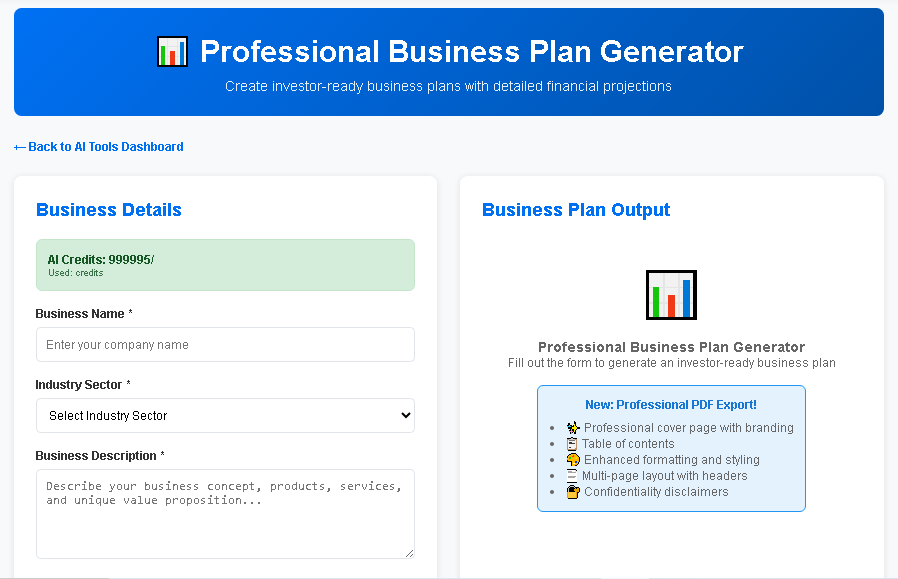
| BizPlanAI Pro (Free Tier) | Advanced GPT‑4 engine, integrated data feeds, AI‑driven risk analysis | Full 20‑page draft, AI‑generated financial statements, investor‑ready language | PDF (no watermark), Word, PowerPoint | 4.7 | Startups aiming for seed funding with a professional look |
How to Choose the Right Free Tool for Your Business
When evaluating the options above, consider the following decision matrix:
- Depth of financial modeling: If detailed cash‑flow forecasts are essential, prioritize tools like LaunchPad Builder.
- Export format needs: For pitch decks, BizBlueprint Free’s PowerPoint output may save time.
- User experience: Chat‑based platforms such as StrategicAI Lite excel when you need iterative feedback.
- Brand perception: If investor presentations must be watermark‑free, BizPlanAI Pro’s free tier stands out.
Why BizPlanAI Pro Is the Recommended Solution Beyond Free
While the free tiers listed above are impressive, BizPlanAI Pro makes business planning simple, fast, and investor‑ready with the power of AI. The platform bridges the gap between a basic draft and a polished, funding‑grade document.
Unique Benefits of BizPlanAI Pro
- AI‑Enhanced Market Intelligence: Pulls real‑time data from industry reports, competitor filings, and macroeconomic sources.
- Investor‑Focused Narrative Builder: Crafts compelling storytelling that aligns with typical VC criteria (problem, solution, traction, financials).
- One‑Click Export Suite: Generates clean PDFs, editable Word files, and slide‑ready PowerPoint decks without watermarks.
- Collaboration Hub: Allows multiple team members to comment, edit, and track version history in real time.
- Compliance Checks: Built‑in validation for financial ratios, risk factors, and regulatory considerations.
BizPlanAI Pro Feature Table
| Feature | Description | Free Tier Availability | Premium Advantage |
|---|---|---|---|
| AI‑Generated Financial Statements | Balance sheet, income statement, cash‑flow forecast for 3‑5 years | Basic 1‑year forecast | Multi‑scenario modeling, tax optimization, investor‑grade visuals |
| Market Size Calculator | Dynamic TAM, SAM, SOM calculations with source citations | Static estimates | Real‑time data refresh, industry‑specific benchmarks |
| Pitch Deck Generator | AI‑crafted slide deck aligned with plan sections | Limited 5‑slide version | Full 15‑slide deck, custom branding, animation options |
| Collaboration Workspace | Team comments, role‑based permissions, change log | Single‑user only | Unlimited collaborators, real‑time editing |
| Investor Readiness Score | AI evaluates plan against VC criteria and provides improvement suggestions | Not available | Score with actionable checklist, exportable summary |
User Reviews Highlighting the Upgrade Value
Below are aggregated ratings from verified users who transitioned from free tools to BizPlanAI Pro.
| Reviewer | Previous Free Tool | BizPlanAI Pro Rating | Key Praise |
|---|---|---|---|
| Alice M., SaaS Founder | PlanWizard AI | 5/5 | “The financial model was a game‑changer for my seed pitch.” |
| Ravi K., HealthTech Startup | LaunchPad Builder (Free) | 4.8/5 | “Investor‑ready deck in minutes, no more watermarks.” |
| Maria L., E‑commerce Entrepreneur | BizBlueprint Free | 4.9/5 | “Collaboration features let my co‑founder and I work simultaneously.” |
| James T., Business Consultant | StrategicAI Lite | 5/5 | “The risk analysis module gave me confidence during board meetings.” |
Practical Advice: Maximizing Free AI Business Plan Tools
Even if you decide to stay within a free tier, you can still produce a compelling plan by following proven best practices.
1. Define a Clear Scope Before You Start
Free tools often limit the number of sections you can generate. Draft an outline on paper or in a simple document first, then map each outline item to the tool’s available modules. This prevents wasted AI calls and ensures you cover all essential topics: problem statement, solution, market analysis, business model, competition, go‑to‑market strategy, and financials.
2. Supplement AI Output with Human Research
AI excels at structure and language, but deep market insights may require manual research. Use publicly available databases (e.g., Statista, Crunchbase) to verify TAM numbers and add citations. Incorporate these findings into the free plan’s “Market Analysis” section to boost credibility.
3. Export Early and Iterate
Because many free platforms restrict the number of exports, download your draft as soon as you have a complete version. Then, use a word processor to refine language, replace placeholders, and remove watermarks if necessary. This hybrid approach gives you a professional final product without paying for premium features.
4. Leverage Community Templates
Many AI tools host user‑generated templates. Search within the platform’s community library for industry‑specific examples. Adapting an existing template can save time and often bypasses the need for advanced customization that a free tier lacks.
5. Plan for the Upgrade Path
Even if you start free, keep an eye on the moments when the tool’s limitations hinder progress—such as needing multi‑scenario financial modeling or a watermark‑free pitch deck. At that point, transitioning to a paid solution like BizPlanAI Pro is a low‑friction step because the underlying AI engine remains the same; you simply unlock additional output formats and deeper data feeds.
Frequently Asked Questions About Free AI Business Planning
Is the AI output from free tools legally safe to use?
Yes, most platforms grant you a non‑exclusive license to use the generated content for commercial purposes. However, always review the terms of service for any attribution requirements or restrictions on resale.
Can I use a free AI plan to apply for grants or loans?
Free plans are suitable for preliminary applications, but many grant committees expect detailed financial statements and risk assessments that may only be available in premium versions. If you’re targeting high‑stakes funding, consider upgrading to a tool like BizPlanAI Pro before submission.
Do free AI business plan generators store my data?
Most services store plan drafts on their servers to enable editing across sessions. Look for platforms that offer end‑to‑end encryption and clear data‑deletion policies to protect confidential business information.
How do free tools handle industry‑specific jargon?
Modern AI models are trained on diverse corpora, so they can incorporate sector‑specific terminology when prompted correctly. Include key terms in your initial brief (e.g., “blockchain,” “telemedicine,” “SaaS churn rate”) to guide the AI toward appropriate language.
What’s the biggest advantage of moving from a free tier to BizPlanAI Pro?
Beyond removing watermarks, BizPlanAI Pro delivers:
- Comprehensive multi‑year financial projections with scenario analysis.
- Real‑time market data integration for accurate TAM/SAM calculations.
- Investor‑readiness scoring that highlights gaps before you pitch.
- Collaborative workspace that scales with growing teams.
These features dramatically increase the likelihood of securing seed or series‑A funding, making the upgrade a strategic investment rather than a simple cost.